
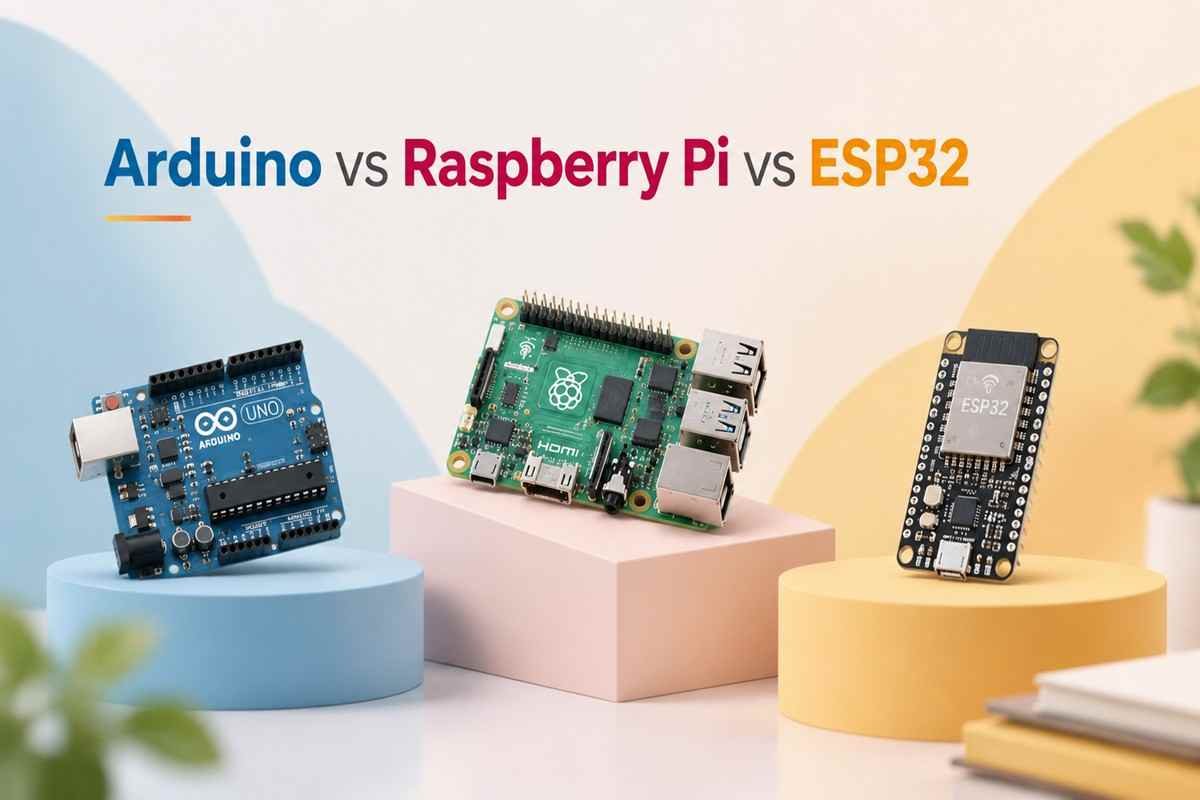
So it’s that time. Your project guide wants a synopsis by Friday, your group has had three meetings and zero decisions, and someone’s senior has told you, “bhai, just use Arduino, sab use karte hain.” Meanwhile, another friend swears the external examiner is only impressed by Raspberry Pi, and a YouTube video is telling you the ESP32 is the only board that matters in 2026.
Deep breath. All three are excellent boards and all three are terrible choices for the wrong project. The board you pick decides your budget, your deadline stress, and honestly, half your viva questions. So instead of picking based on what your senior used in 2021, let’s spend fifteen minutes figuring out what your project actually needs.
By the end of this guide, you’ll know exactly which board to order, where to buy it in India, roughly what your whole project will cost, and bonus how to defend your choice when the external asks, “Why didn’t you use a Raspberry Pi?”
Table of Contents
The 30-Second Answer (For Those Reading This in the Canteen)
If you’re short on time, here’s the honest summary. Everything after this section is the “why”.
| Your Situation | Pick This | Why |
| Sensors, motors, relays , no internet needed | Arduino Uno | Simplest to learn, impossible to confuse, huge help available in every Indian college lab |
| Anything with “IoT”, “smart”, or an app in the title | ESP32 | Built-in Wi-Fi + Bluetooth at ₹400. The default IoT board in India today |
| Camera, AI/ML, face recognition, image processing | Raspberry Pi 4/5 | It’s a real computer, runs Linux, Python, OpenCV, TensorFlow Lite |
| Battery-powered field device (agriculture, wearables) | ESP32 | Deep-sleep mode sips ~0.01 mA runs for months on a small cell |
| Tight budget, first electronics project ever | Arduino Uno (clone) | Under ₹500, and every mistake you make has already been solved on YouTube in Hindi |
| Big ambitious project (robot + camera + app) | Pi + ESP32 combo | Pi does the thinking, ESP32 does the sensing, examiners love this architecture |
| One-line verdict: For most Indian final-year projects in 2026, the ESP32 hits the sweet spot of price, power, and “IoT-readiness”. Arduino is still the best teacher, and the Pi is unbeatable when cameras or AI enter the picture. |
First, Understand the One Big Difference
Here’s the thing most comparison videos skip: these three boards aren’t really competitors. Two of them are microcontrollers and one is a computer, and mixing that up is the #1 reason students buy the wrong board.
Think of it like this: the Arduino Uno is a basic feature phone, it does one job, does it reliably, never hangs, and the battery lasts forever. The ESP32 is a budget smartphone still compact and affordable, but it connects to Wi-Fi, runs multiple things at once, and punches way above its price. The Raspberry Pi is a full laptop, it boots an operating system, opens a browser, runs Python and OpenCV, and can even be your project development machine itself.
| Arduino Uno | ESP32 | Raspberry Pi 4/5 | |
| What it is | Microcontroller board | Microcontroller with Wi-Fi/BT | Single-board computer (SBC) |
| Runs an OS? | No, runs your code directly | No, runs your code directly (FreeRTOS under the hood) | Yes, full Linux (Raspberry Pi OS) |
| Boot time | Instant | Instant | 20–30 seconds |
| If power cuts suddenly | Nothing happens, restarts fine | Nothing happens, restarts fine | SD card can corrupt, needs safe shutdown |
| Best mental model | Reliable feature phone | Budget smartphone | Full laptop |
| Why this matters for your project: A microcontroller reads sensors and switches things ON/OFF with perfect timing, 24×7, without ever crashing. A computer processes heavy data, images, video, ML models, but needs care (proper shutdown, more power, more setup). Match the tool to the job, not to the hype. |
Meet the Three Contenders
Arduino Uno: The Trusted All-Rounder
The Uno has been the first board of practically every Indian engineering student for 15 years, and there’s a reason it refuses to retire. It’s an 8-bit ATmega328P running at 16 MHz with just 2 KB of RAM, specs that sound like a joke next to the other two and yet it remains the easiest, most forgiving board to learn electronics on.
Why students love it: the Arduino IDE is dead simple, tutorials exist for literally every sensor sold on Robu.in, your lab assistant knows it, your seniors’ old code works on it, and clones cost ₹300–500. It also works at 5V logic, which matches most cheap sensor modules sold in India without any level-shifting drama.
Watch out for: no Wi-Fi or Bluetooth on board. The moment your project title contains the word “IoT”, you’ll be buying an extra ESP8266/Wi-Fi module and wiring it to the Uno at which point you should honestly have just bought an ESP32. Memory is also tiny: ambitious code with displays + SD cards + multiple libraries will hit the 2 KB RAM wall.
ESP32: The IoT Champion of Indian Colleges
The ESP32 is what happens when someone asks, “what if a ₹400 board had dual-core 240 MHz processing, 520 KB RAM, Wi-Fi, Bluetooth, and 30+ GPIO pins?” It has quietly become the default board for Indian IoT projects, walk into any project expo and half the tables have one blinking away.
Why students love it: Wi-Fi and Bluetooth are built in, so “send sensor data to Blynk/Firebase/ThingSpeak” needs zero extra hardware. You program it from the same Arduino IDE you already know (or MicroPython if you prefer). It has more analog pins, touch sensors, and PWM channels than the Uno, and its deep-sleep mode makes genuinely battery-powered field projects possible.
Watch out for: it runs on 3.3V logic, connect a 5V sensor output directly and you can kill a pin. A few library quirks and pin restrictions (some pins are input-only, some misbehave during boot) can eat an afternoon of debugging. And while it’s powerful for a microcontroller, it still cannot do camera-based AI in any serious way.
Raspberry Pi 4 / Pi 5: The Mini Computer
The Raspberry Pi is a full computer smaller than your phone. Quad-core processor, 4–8 GB RAM, HDMI, USB, and a proper Linux OS. You write Python on it, install libraries with pip, connect a camera module, and suddenly face recognition, number-plate detection, and voice assistants are on the table.
Why students love it: it’s the only board here that can run OpenCV, TensorFlow Lite, and full databases locally. Camera projects, ML projects, media projects, server projects, this is the board. It also looks seriously impressive in a demo when a live camera feed with detection boxes is running.
Watch out for: cost — the board is ₹4,000–9,000, and you’ll also need a good SD card, a proper 5V/3A+ power supply (cheap chargers cause random crashes, the most common Pi complaint in Indian college labs), and ideally a small heatsink or fan. It’s power-hungry, so battery projects are painful. And it has no built-in analog pins reading a simple soil-moisture sensor needs an external ADC chip like the MCP3008 or ADS1115.
Head-to-Head: The Full Spec Sheet
Bookmark this table, it’s also exactly what you should paste into your project report’s “hardware selection” chapter (with your own justification below it).
| Spec | Arduino Uno R3 | ESP32 (DevKit V1) | Raspberry Pi 4 / Pi 5 |
| Processor | ATmega328P, 8-bit | Xtensa dual-core, 32-bit | Quad-core ARM Cortex-A72 / A76 |
| Clock speed | 16 MHz | 240 MHz | 1.5 GHz / 2.4 GHz |
| RAM | 2 KB | 520 KB | 2–8 GB |
| Storage | 32 KB flash | 4 MB flash | microSD card (16 GB+) |
| Wi-Fi / Bluetooth | None built-in | Wi-Fi + BT 4.2/BLE built-in | Wi-Fi + BT 5.0 built-in |
| GPIO pins | 14 digital + 6 analog | ~30 usable (multi-function) | 40-pin header (digital only) |
| Analog input (ADC) | Yes — 6 pins, 10-bit | Yes — up to 18 ch, 12-bit | No — needs external ADC |
| Operating logic | 5V | 3.3V | 3.3V |
| Camera support | No | Basic (ESP32-CAM variant) | Yes — official camera + USB webcams |
| Runs Python? | No (C/C++) | Yes (MicroPython) or C/C++ | Yes — full Python 3 + any Linux tool |
| Power draw (typical) | ~50 mA | ~160 mA (Wi-Fi on), ~0.01 mA asleep | 600 mA–1.4 A |
| Board price in India | ₹300–600 (clone) / ₹1,800–2,500 (original) | ₹350–500 | ₹4,000–9,000 (+SD, PSU) |
What Will It Actually Cost You?
Let’s talk money, because project budgets in India are real. Here’s where the three boards sit on the price ladder as of 2026:

Fig. 1 — Typical board prices from Indian online stores in 2026. The ESP32 gives you Wi-Fi + 15x the clock speed of an Uno for less money.
The clone question, answered honestly: for a student project, a good-quality Arduino Uno compatible board (₹300–600 from Robu, Robocraze, Thingbits, or ElectronicsComp) is perfectly fine, it uses the same ATmega328P chip. Original boards (₹1,800–2,500) buy you better build quality and support the Arduino open-source project, which is a nice thing to do, but no examiner will ever check. ESP32 boards are almost all “clones” by design anyway, just buy from a reputable Indian seller and avoid the ₹250 ones with no name at all.
But the board is only half the bill
The classic budgeting mistake: allocating ₹5,000 for a Pi and forgetting it needs an SD card and power supply. Here’s what a realistic total setup looks like:
| Item | Arduino Uno Setup | ESP32 Setup | Raspberry Pi 4 Setup |
| Board | ₹450 (clone) | ₹400 | ₹5,000 (4GB) |
| Power | USB cable — ₹50 | USB cable — ₹50 | Official-grade 5V/3A PSU — ₹600 |
| Storage | Not needed | Not needed | 32GB Class-10 SD — ₹450 |
| Cooling | Not needed | Not needed | Heatsink/fan — ₹150 |
| Breadboard + jumpers | ₹200 | ₹200 | ₹200 |
| Basic setup total | ≈ ₹700 | ≈ ₹650 | ≈ ₹6,400 |
| Money-saving tip: Check your department first! Most Indian colleges have Raspberry Pis and Arduino kits lying in the IoT/embedded lab from previous batches. Borrowing the expensive Pi and buying only your own ESP32/sensors can cut your project budget by 70%. Also ask final-year seniors, many sell entire kits at half price after their viva. |
Performance: A Deliberately Unfair Comparison
Now for raw specs and fair warning, we had to use a log scale, because on a normal chart the Arduino’s bars would be invisible:

Fig. 2 — Clock speed and RAM on a log scale. Each gridline step is 10x. The Pi has roughly four million times the RAM of an Uno.
So the Pi wins, right? Not so fast. Here’s the counter-intuitive truth of embedded projects: reading a DHT11 temperature sensor every two seconds needs about 0.001% of even the Arduino’s power. For sensor-and-relay projects, extra gigahertz buy you nothing except higher cost and power draw. Performance only starts mattering when your project processes images, audio, ML models, or serves a real web dashboard and then it matters completely, and only the Pi will do.
The engineering-viva way to say this: “We selected the board with sufficient computational headroom for our workload, rather than the most powerful board available.” Examiners eat that up, because it’s exactly how real engineers think.
The Battery Question (Where Projects Secretly Fail)
If your project lives on a desk next to a plug point, skip this section. But if it’s going on a field, a wall, a drone, or a cow (yes, cattle-health monitors are a real and excellent final-year project), power consumption becomes the spec that decides everything.

Fig. 3 — Approximate runtime on a common 10,000 mAh power bank. Deep-sleep is the ESP32’s superpower for field deployments.
The takeaway: the Raspberry Pi is essentially a mains-powered device, half a day on a power bank means it’s not a serious battery option. The Arduino is decent. But the ESP32’s deep-sleep mode is the game-changer: wake up, read the soil sensor, push data over Wi-Fi for 5 seconds, sleep for 10 minutes at ~10 µA, repeat. That’s how you build a smart-agriculture node that survives an entire semester on one 18650 cell, a genuinely deployable device, not just a demo.
| Practical note for Indian conditionsFrequent power cuts are a project reality in many towns. An Arduino or ESP32 just resumes when power returns. A Raspberry Pi can corrupt its SD card on abrupt power loss, if you must use a Pi in the field, add a small UPS HAT (₹1,200–2,000) or at minimum enable read-only filesystem mode before the demo day. |
Which Board for Which Project?
Here are the most common Indian final-year project categories, mapped to the right board. Find your project (or your inspiration) below:
| Project Type (typical titles) | Best Board | Why This One |
| Home automation — “Smart Home using IoT”, app-controlled appliances | ESP32 | Wi-Fi built in; pairs perfectly with Blynk/Google Home; relays are simple |
| Smart agriculture — soil moisture + auto irrigation + alerts | ESP32 | Battery-friendly deep sleep, ADC for analog sensors, sends data to cloud |
| Line follower / obstacle robot / robotic arm | Arduino Uno | Real-time motor control, dirt-simple, no OS latency, 5V sensor friendly |
| Face recognition attendance system | Raspberry Pi 4/5 | OpenCV + camera; a microcontroller simply cannot do this |
| Number-plate recognition / smart parking with camera | Raspberry Pi 4/5 | Image processing + database + display in one board |
| Health monitoring — heart rate, SpO2, fall detection + app | ESP32 | BLE to a phone app, compact, battery-powered wearable possible |
| Air/water quality monitoring with online dashboard | ESP32 | Multiple ADC channels + Wi-Fi to ThingSpeak/Firebase |
| Weather station (display only, no internet) | Arduino Uno | Cheapest, simplest; add ESP32 only if you want a web dashboard |
| Voice assistant / smart mirror | Raspberry Pi 4/5 | Needs audio processing, display output, and internet APIs |
| RFID/biometric door lock or attendance | Arduino Uno or ESP32 | Uno if standalone; ESP32 if logs must reach a server/app |
| Home energy meter with mobile app | ESP32 | Reads CT/voltage sensors, pushes live data over Wi-Fi |
| Surveillance robot with live video + app control | Pi + ESP32 combo | Pi streams camera & runs detection; ESP32/Arduino drives motors |
The Suitability Scorecard
Pulling it all together, here’s how the three boards score across the six things final-year students actually care about:

Fig. 4 — Suitability scorecard (10 = best). Notice how the ESP32’s shape covers the most area for a typical IoT-era project — while the Pi alone owns processing power.
Read the shapes, not just the numbers: the Arduino dominates ease and cost, the Pi towers over everyone in processing, and the ESP32 is the only board with no serious weakness for a connected project. That balance is exactly why it has taken over Indian project expos.
Still Confused? Use This 4-Question Decision Guide
Question 1: Does your project use a camera, or any AI/ML (face, object, number-plate, voice)?
Yes → Raspberry Pi 4/5. Full stop. Nothing else here can do it properly. No → next question.
Question 2: Does it need Wi-Fi, Bluetooth, a mobile app, or a cloud dashboard?
Yes → ESP32. Built-in connectivity at ₹400 ends the debate. No → next question.
Question 3: Will it run on battery in the field?
Yes → ESP32 (deep sleep) or Arduino for very simple, always-on logic. No → next question.
Question 4: Is it pure sensors + motors + relays, and this is your first hardware project?
Yes → Arduino Uno. Learn on the friendliest board ever made, you can always add an ESP32 later.
The Pro Move: Combine Two Boards
Here’s a secret the best project groups know, this was never really a “vs” battle. Serious projects often use two boards together, each doing what it’s best at:
| Combo | Who Does What | Perfect For |
| Raspberry Pi + Arduino Uno | Pi runs vision/AI and the dashboard; Uno handles motors and 5V sensors with rock-solid timing | Surveillance robots, automated sorting machines |
| Raspberry Pi + ESP32 nodes | Pi is the central server/brain; multiple ₹400 ESP32 nodes send wireless sensor data from around the campus/field | Smart campus, multi-zone agriculture, hostel energy monitoring |
| ESP32 + ESP32-CAM | One handles sensors/control, the ₹600 CAM module adds basic photo capture | Budget door-security and monitoring projects |
| Why examiners love combos: A two-board architecture shows you understand distributed system design, “edge nodes for sensing, central compute for processing” is literally how real industrial IoT works. It also gives every group member a clear module to own and explain in the viva. |
7 Mistakes Final-Year Students Make
1. Choosing the board before the problem. Pick your project statement first, then the board. “We want to use Raspberry Pi” is not a problem statement.
2. Powering a Raspberry Pi from a phone charger. Random freezes, SD corruption, and the dreaded lightning-bolt icon. Budget for a proper 5V/3A+ supply, it’s the single most common Pi issue in Indian labs.
3. Feeding 5V signals into an ESP32 or Pi. Both are 3.3V boards. Use a voltage divider or level shifter (₹30–50) for 5V sensor outputs, or you’ll be buying a second board quietly.
4. Ordering components one week before the demo. Indian shipping + one wrong/dead module = disaster. Order 6–8 weeks early and test every sensor the day it arrives.
5. Ignoring the ESP32’s pin quirks. A few pins (like GPIO 0, 2, 12) affect boot mode, and pins 34–39 are input-only. Twenty minutes reading a pinout diagram saves a full day of “why is it not uploading”.
6. Buying an 8GB Pi 5 for a soil-moisture project. That’s ₹8,500 doing a ₹400 job, and it can’t even read the analog sensor without an extra ADC chip. Over-speccing impresses nobody.
7. No enclosure, no documentation. A ₹150 box, labelled wiring, and a clean circuit diagram raise your project’s perceived quality more than any spec upgrade. Externals judge with their eyes first.
Viva Prep: Questions Your External Will Probably Ask
Every board choice invites a predictable set of viva questions. Here they are with answers that make you sound like you chose deliberately (because now you did):
| Likely Question | A Strong Answer |
| “Why didn’t you use a Raspberry Pi instead?” | “Our workload is periodic sensor reading and actuation, a microcontroller gives us instant boot, deterministic timing, 10x lower power, and no OS/SD-card failure points, at one-tenth the cost.” |
| “Why ESP32 over Arduino Uno?” | “Our system needs Wi-Fi connectivity to the cloud dashboard. The ESP32 integrates dual-core processing and Wi-Fi/BLE on one board, avoiding an extra module, extra wiring, and a second point of failure.” |
| “Is Raspberry Pi a microcontroller?” | “No sir/ma’am, it’s a single-board computer running Linux. Microcontrollers like the ATmega328P execute firmware directly without an OS, which is why they offer real-time, deterministic behaviour.” |
| “What is deep sleep and why did you use it?” | “The ESP32 shuts down its cores and radios between readings, drawing about 10 microamps. Duty-cycling this way extends our battery life from days to months in field deployment.” |
| “How will your system scale?” | “Each sensing node is a ₹400 ESP32 publishing over MQTT/HTTP, adding a zone means adding a node, with no change to the central logic.” |
| “What were the limitations of your board?” | Never say “none”. Name a real one (3.3V-only I/O, no onboard ADC on Pi, 2 KB RAM on Uno) and the specific way you worked around it, that’s what engineering maturity sounds like. |
Final Verdict: Our Honest Recommendation
If we had to hand one board to a random Indian final-year group in 2026, it would be the ESP32, ₹400 buys you enough processing for most sensor-based projects plus the Wi-Fi/Bluetooth that modern project expectations and IoT-focused titles demand. It’s the board many students need, even if it isn’t always the board YouTube is hyping.
Before selecting a board, start with the project idea and requirements. If you are still exploring topics, check our guide on major CSE final-year project ideas that can impress examiners and recruiters to understand what kind of projects typically require IoT boards, AI processing, cloud connectivity, or computer vision.
Pick the Arduino Uno when you’re new to electronics, when the project is pure sensors-motors-relays, or when 5V modules and absolute simplicity matter more than connectivity. Pick the Raspberry Pi the moment a camera, AI model, or heavy data processing enters your synopsis, nothing else here can carry that load. And if your ambitions are big, combine them: Pi for the brain, ESP32/Arduino for the muscle. That architecture wins expos.
Whichever you choose, remember: the board never gets the marks, the understanding does. A perfectly explained ₹450 Arduino project beats a confused ₹9,000 Raspberry Pi project in every viva, every single time. Now go order it (today, not next month), and all the best for the project!
Quick FAQs
Q. Can I use the same Arduino IDE for ESP32?
A. Yes, install the ESP32 board package via Boards Manager (one URL, two minutes), and all your Arduino-style code and most libraries carry over. This is exactly why the Uno-to-ESP32 jump feels easy.
Q. Is the ESP8266 (NodeMCU) still worth it at ₹250?
A. It works and it’s everywhere in older tutorials, but for the ₹100–150 difference the ESP32 gives you dual cores, Bluetooth, far more pins, and better ADCs. In 2026, just buy the ESP32, unless the 8266 is free from a senior.
Q. What about Raspberry Pi Pico?
A. Great little ₹350–500 microcontroller (the Pico W adds Wi-Fi) and lovely with MicroPython but its Indian tutorial/community base is still smaller than the ESP32’s. For a final-year project where deadlines matter, the ESP32’s ecosystem is the safer bet.
Q. Can the ESP32 do any AI at all?
A. Light TinyML, keyword spotting, simple gesture/anomaly detection with pre-trained tiny models. Genuine computer vision (faces, plates, objects) needs the Pi. If your title says “AI-based”, plan for a Pi or a Pi+ESP32 combo.
Q. Where should I buy in India?
A. Robu.in, Robocraze, ElectronicsComp, Thingbits, and Amazon.in are the usual reliable options; local hubs like SP Road (Bengaluru) and Lajpat Rai Market (Delhi) work if you can inspect in person. For Raspberry Pi, prefer official Indian resellers to avoid inflated “import” pricing.
Q. Will using a clone board cause problems in evaluation?
A. No examiner checks board authenticity. What they check is whether you understand your circuit. Spend the savings on better sensors and a clean enclosure.
Have any thoughts?
Share your reaction or leave a quick response — we’d love to hear what you think!
-
 0
0 - 0
- 0



